
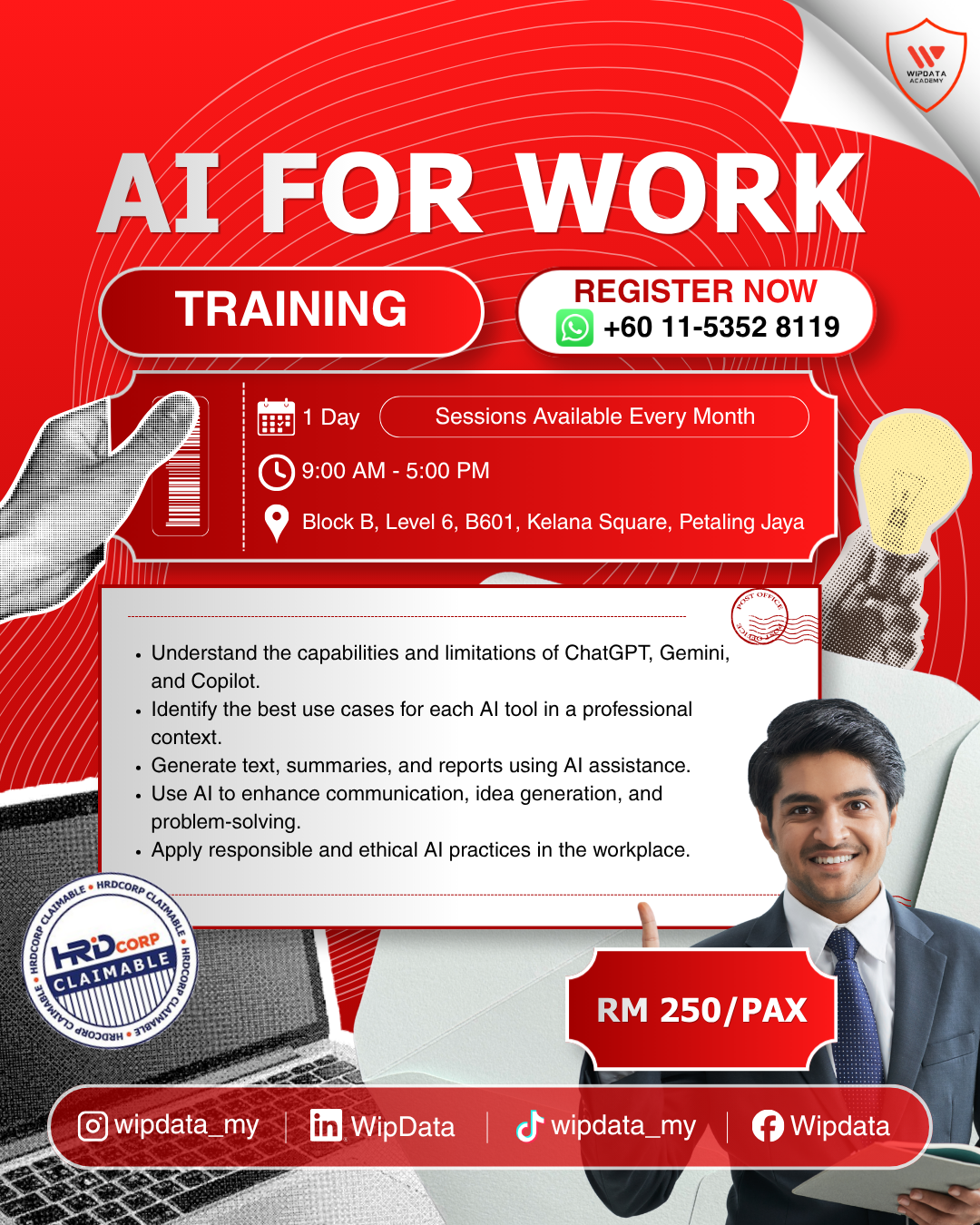
AI for Work
RM250.00
Description
Duration: 1 day
Course Overview:
Artificial intelligence is no longer a future trend; it is a present-day reality reshaping how work gets done across every industry, every department, and every level of an organisation. Tools like ChatGPT, Microsoft Copilot, Google Gemini, and Claude are being used right now by professionals around the world to draft communications, research topics, plan projects, interpret data, automate repetitive tasks, and make decisions faster. The question is no longer whether AI will change your work it already is. The question is whether you will be among those using it confidently and purposefully or among those still working without it.
This focused one-day programme equips working professionals across all functions with the practical AI skills they need to start using AI effectively at work from day one. The programme covers five essential modules: understanding what AI is and what it means for your role, mastering the core skill of prompting to consistently get high-quality AI outputs, applying AI to the everyday tasks that take up most of the working day, building a personal AI toolkit from the expanding landscape of available tools, and using AI responsibly with a clear understanding of privacy, ethics, and professional accountability. No technical background is required; this is a skills programme, not a technology lecture.
By the end of this programme, participants will be empowered to use AI tools independently and confidently for a wide range of work tasks: writing, researching, planning, summarising, problem-solving, and more with a clear understanding of which tools to use, how to prompt them effectively, where the boundaries of safe use lie, and how to build a repeatable personal AI workflow that fits their role and organisation. Participants will leave with a personal prompt library, a mapped AI toolkit, a 30-day adoption plan, and the confidence to bring AI into their team's daily practice.
Audience:
Working professionals across all departments and functions, including administrative staff, executives, managers, and team lead in HR, Finance, Operations, Marketing, Communications, Sales, and other functions. Suitable for complete beginners and those with basic AI exposure. No technical background required.
Prerequisites:
No prior AI or technical experience required. Participants should be comfortable using a web browser and basic digital tools. Access to a laptop and an active account on at least one AI platform (ChatGPT, Microsoft Copilot, Google Gemini, or Claude) is strongly recommended for hands-on exercises
Methodology:
The programme will maximise understanding and learning through Interactive Lectures, Live Tool Demonstrations, Hands-on Exercises, Group Discussions, Real Workplace Scenario Practice, and Personal Action Planning.
Objectives:
- Develop a clear, practical understanding of artificial intelligence: what it is, how it works, which tools are most relevant to professional roles, and how AI is transforming work across all industries and functions.
- Master the foundational skill of prompt engineering, applying the CRTF framework, iterative prompting, and chain-of-thought techniques to consistently generate high-quality, task-appropriate AI outputs.
- Apply AI tools to a broad range of everyday work tasks, including writing and communication, research and summarisation, planning, problem-solving, data interpretation, and professional learning.
- Build a personal AI toolkit and a responsible AI work system selecting the right tools for each task, applying data privacy and ethical guardrails, and committing to a 30-day plan for embedding AI into daily work habits.
Course Module:
Module 1: Understanding AI: What It Is, How It Works, and What It Means for Your Job
- The plain-language explanation of Artificial Intelligence
- Types of AI relevant to the workplace: generative AI, automation, machine learning
- Key AI tools in use today: ChatGPT, Microsoft Copilot, Google Gemini, Claude what sets each apart
- How AI 'thinks': a simple, jargon-free explanation of large language models
- What AI is genuinely good at and where it consistently falls short
- AI's impact on the workplace: roles being transformed, not just replaced
- The AI-empowered professional: what the best AI users do differently
- Choosing the right AI tool for the right task
Module 2: Prompting The Core Skill That Determines Your AI Results
- Why most people get poor results from AI and how to fix it
- What is a prompt and how does it shape AI output?
- The CRTF Framework: Context, Role, Task, Format
- Prompting for different output types: paragraphs, tables, lists, scripts, step-by-step guides
- Iterative prompting: having a conversation with AI to refine outputs progressively
- Persona-based prompting: assigning AI a role for sharper, more relevant responses
- Chain-of-thought prompting: getting AI to reason through complex tasks step by step
- Building a personal prompt library: templates for the tasks you do every week
- The 3 most common prompting mistakes and how to avoid them
Module 3: AI for Everyday Work Tasks
- AI for writing and communication: emails, memos, reports, announcements, and summaries
- AI for research and information gathering: synthesising sources, summarising documents
- AI for planning and organising project plans, meeting agendas, event timelines
- AI for problem-solving and decision support: brainstorming, pros and cons, scenario thinking
- AI for learning: using AI to understand new topics and explain complex ideas simply
- AI for data interpretation: turning numbers and tables into plain-language narratives
- Real examples across functions: how HR, Finance, Operations, Marketing, and Admin teams use AI daily
Module 4: AI Tools Beyond ChatGPT and How to Build Your Personal AI Toolkit
- The AI tools landscape: text, image, voice, video, automation, and research tools
- Microsoft Copilot for M365 users: AI inside Word, Excel, Outlook, PowerPoint, and Teams
- Google Gemini for Workspace users: AI inside Docs, Sheets, Gmail, and Meet
- AI for image and visual content: Canva AI, DALL-E, Adobe Firefly
- AI for meetings and transcription: Otter.ai, Fireflies, Copilot meeting summaries
- AI for automation: Zapier AI, Power Automate, make what they do without coding
- Choosing the right AI tool for each type of task
- Building your personal AI toolkit: a practical stack for your role
Module 5: Using AI Responsibly Privacy, Ethics, and Building Your AI Work System
- Why responsible AI use matters: the professional and organisational risks of getting it wrong
- Hallucinations: why AI confidently produces incorrect information and how to catch it
- Data privacy and confidentiality: what you must never input into a public AI tool
- Intellectual property, plagiarism, and disclosure considerations
- Bias in AI: where it comes from and how to spot it in outputs
- PDPA and corporate data governance: what Malaysian professionals need to know
- Transparency at work: when and how to disclose AI-assisted outputs
- Building your personal AI work system: a repeatable weekly workflow
- Your 30-day AI adoption plan: 3 habits to start this week
Reviews
There are no reviews yet.