
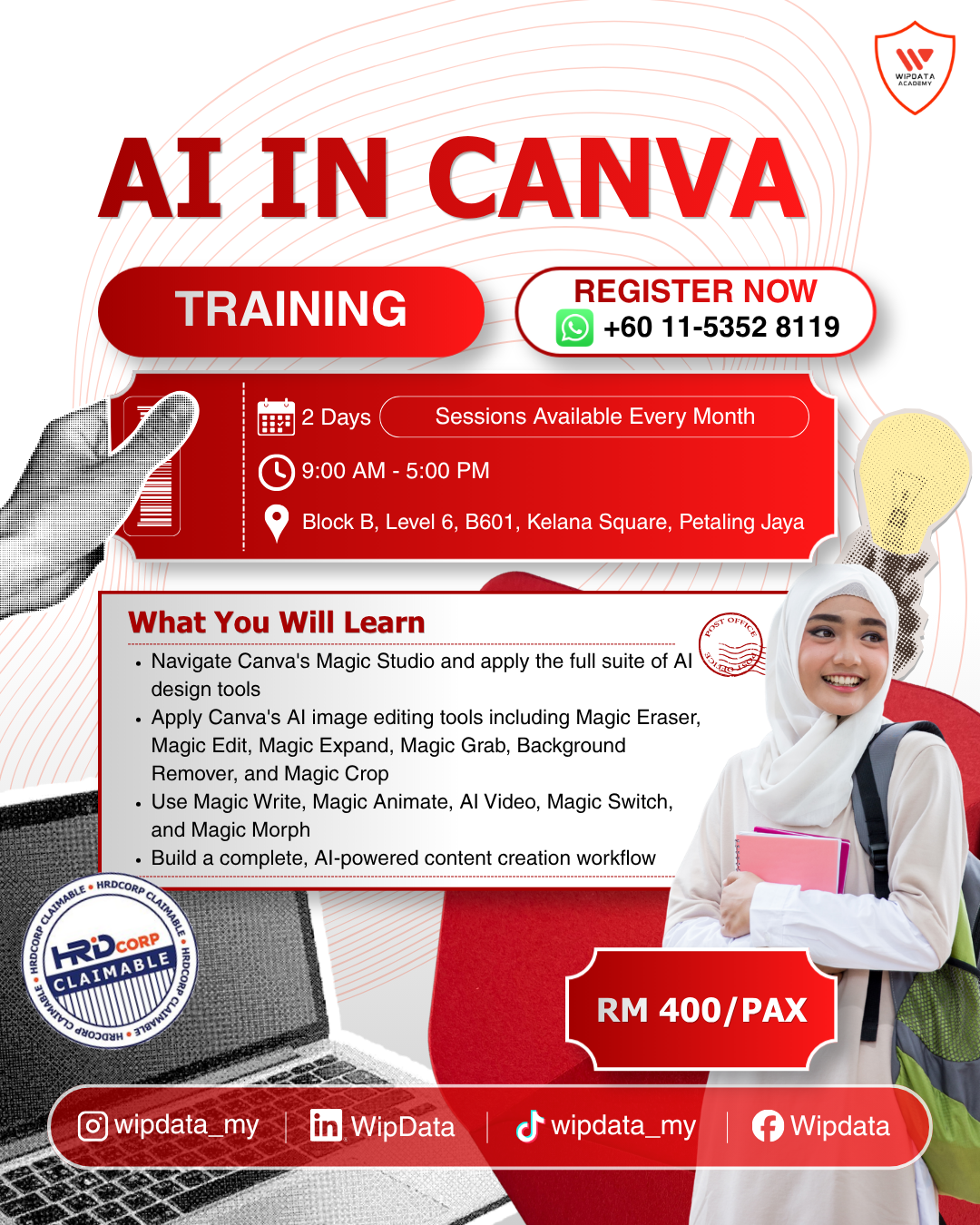
AI in Canva
RM400.00
Description
Duration: 1 days
Course Overview
Canva has evolved far beyond a drag-and-drop design tool. With the launch of Magic Studio, Canva now places a powerful suite of AI capabilities directly into the hands of every user, from generating complete designs and custom images from a single text prompt to removing backgrounds, erasing unwanted objects, expanding photos, animating content, generating videos, translating copy, and writing headlines. For professionals who create visual content as part of their role, whether for social media, internal communications, marketing campaigns, presentations, or reports, mastering Canva's AI tools is no longer a creative advantage. It has become a practical productivity skill.
This two-day, hands-on programme covers eight practical modules: the Canva AI Ecosystem and Magic Studio, AI-generated design creation with Magic Design and Text to Image, AI image editing and enhancement (Magic Eraser, Magic Edit, Magic Expand, Magic Grab, Background Remover), AI-assisted copywriting with Magic Write and Translate, AI animation and video with Magic Animate and AI Video, social media content creation and campaign management with Magic Switch and Bulk Create, AI for presentations and business documents, and building a personal or team AI-powered content workflow in Canva. Participants will develop the KNOW-WHATs of every AI feature, the KNOW-WHYs of when each tool adds genuine value, and the KNOW-HOWs through continuous hands-on practice using real or realistic content briefs throughout both days.
By the end of this programme, participants will be empowered to use Canva's full AI toolkit confidently and fluently, moving from a blank canvas to a polished, branded, multi-format content package in a fraction of the time it would take manually. The programme culminates in a capstone project where each participant or group selects a real creative brief and delivers a complete AI-powered content campaign including designed assets, edited visuals, written copy, multi-platform adaptations, and at least one animated or video output, leaving with a reusable template, a personal AI design workflow, and a concrete plan for integrating Canva AI into their daily content creation practice.
Learning Outcomes
- Navigate Canva's Magic Studio and apply the full suite of AI design tools, including Magic Design, Text to Image, and Bulk Create to generate professional, on-brand visual content from text prompts and data inputs.
- Apply Canva's AI image editing tools, including Magic Eraser, Magic Edit, Magic Expand, Magic Grab, Background Remover, and Magic Crop to transform raw photos and images into polished, publication-ready visual assets.
- Use Magic Write, Magic Animate, AI Video, Magic Switch, and Magic Morph to produce multi-format content packages that include written copy, animations, and video adapted for different platforms and audiences.
- Build a complete, AI-powered content creation workflow in Canva from brand setup and template development to campaign delivery and team collaboration, producing a full content campaign as a capstone project.
Target Audience
Marketing executives, communications professionals, social media managers, graphic designers, content creators, business owners, HR and corporate communications teams, and any working professional who creates visual content for internal or external purposes.
Methodology
The programme will maximise understanding and learning through Interactive Demonstrations, Hands-on Design Exercises, Live Tool Walkthroughs, Workshop-Style Practice, Peer Design Review, and a Capstone Content Campaign Project.
Course Outline
Module 1: Canva AI Ecosystem Magic Studio & Core AI Tools
- Understanding Magic Studio: Canva's centralised AI feature hub
- Overview of all AI tools available: Magic Design, Magic Write, Magic Edit, Magic Media, Magic Switch, Magic Morph, Magic Animate, Magic Eraser, Magic Expand, Magic Grab, Background Remover
- Canva AI vs. third-party AI tools: when to use what
- Setting up your Canva workspace for AI-powered design work
- Brand Kit setup: uploading logos, fonts, and brand colours for AI to use
- Using Canva's AI with and without a Canva Pro subscription
- Navigating AI-generated content responsibly: copyright and usage rights
Module 2: Magic Design & AI-Generated Design Creation
- Magic Design: generating full design layouts from a text prompt or uploaded image
- Text to Image (Magic Media): generating custom visuals from written descriptions
- Canva AI Presentation Maker: generating full decks from a single prompt
- DALL-E and other integrated image generators within Canva
- Choosing the right style, mood, and composition for generated images
- Editing and customising AI-generated designs to match your brand
- Bulk Create: generating multiple design variations from a spreadsheet dataset
Module 3: AI Image Editing & Photo Enhancement
- Background Remover: removing and replacing backgrounds instantly
- Magic Eraser: removing unwanted objects from photos with one brush stroke
- Magic Edit: replacing or adding elements inside a photo using a text prompt
- Magic Expand: extending an image beyond its original borders using AI
- Magic Grab: isolating and repositioning the main subject in a photo
- Magic Crop: AI-powered smart cropping for different aspect ratios
- Combining AI editing tools: a complete photo editing workflow in Canva
- When to use Canva AI editing vs. external tools like Adobe Firefly or Photoshop
Module 4: Magic Write & AI-Assisted Copywriting in Canva
- Magic Write: generating and refining text content directly inside Canva designs
- Writing headlines, taglines, captions, and body copy with AI
- Adjusting tone: formal, casual, persuasive, witty prompting for voice
- Translate: AI-powered translation of design copy into multiple languages
- Generating social media captions, call-to-action text, and event descriptions
- Editing AI-generated copy for brand consistency and accuracy
- Combining Magic Write with Magic Design for fully AI-built content
Module 5: Magic Animate & AI-Powered Video in Canva
- Magic Animate: applying AI-generated animations to entire designs in one click
- Animation types: Basic, Photo Motion, Cinematic, and custom options
- Animate individual elements vs. animating the full page
- Magic Morph: transforming text and shapes with AI-generated textures
- Introduction to AI Video in Canva: generating short video clips from text prompts
- Adding AI-generated video clips to presentations and social content
- Exporting animated designs: GIF, MP4, and social media formats
- Canva Video Editor: trimming, transitions, and adding AI-generated scenes
Module 6: AI for Social Media Content & Marketing Campaigns
- Planning a multi-platform social media content suite using Canva AI
- Magic Switch: instantly resize one design for all social platforms (Instagram, Facebook, LinkedIn, X, TikTok)
- Building a consistent visual campaign: colours, fonts, imagery, and tone
- Using AI to generate a full content series from a single campaign concept
- Canva Content Planner integration: scheduling AI-generated posts
- Creating social media templates for team reuse with locked brand elements
- AI-generated mockups: showing designs in real-world contexts
Module 7: AI for Presentations, Reports & Business Documents
- AI Presentation Maker: building decks from a prompt or document upload
- Customising AI-generated presentations with brand fonts, colours, and imagery
- AI-assisted data visualisation: generating charts and infographic slides
- Magic Design for Documents: generating formatted reports, proposals, and newsletters
- One-pagers and executive summaries: using AI for professional business documents
- Exporting presentations: PDF, PPTX, and interactive online presentation formats
- Canva Docs: AI-assisted long-form document creation within Canva
Module 8: Building an AI-Powered Content Workflow in Canva
- Mapping your content creation process and identifying AI touchpoints
- Building a personal or team content system: folders, templates, and Brand Kits
- Using Canva AI with other tools: integrating ChatGPT for copy, then designing in Canva
- Setting up a repeatable AI-powered design workflow for weekly content
- Team collaboration in Canva: sharing AI-generated templates and locking brand assets
- Content approval workflows: comments, version history, and sharing links
- Responsible AI use: attribution, copyright awareness, and fact-checking AI outputs
- Staying current: how Canva's AI features continue to evolve
Reviews
There are no reviews yet.